How to Run an RFID Pilot: A 30-Day Test Plan with a Kit
Published 25 Oct 20268 min read
Written and maintained by the RFID team at Identium Tech Solutions Pvt Ltd, New Delhi (India RFID Store).

Short answer: Run an RFID pilot in three stages over about 30 days. In week 1, tag the sample mix supplied with your evaluation kit and run bench tests for read range, orientation, and metal or liquid items. In week 2, test where the work happens: dense stacks, working pace, stray reads, interference and duplicate reads. Then order one 500-piece batch of the tag that did best and use it in daily work for two weeks, checking encoding, export and wear. Decide go or no-go on day 30 against pass/fail targets you wrote down on day 1.
A datasheet read range is measured with a good tag in open air. Your stock is different: steel racks, bottles, folded garments, jewellery trays and stacked cartons all change how far and how reliably a UHF tag answers. A pilot turns "will RFID work for us?" into numbers you can act on. This plan uses one of our evaluation kits as the test equipment and twelve tests, each with a pass/fail check. It does not repeat the kit comparison: our RFID evaluation kits page explains which kit suits a warehouse, a shop, a jewellery counter or an integrator's bench.
Before you start: write down what success means
Most pilots that end without a decision never defined one. On day 1, write down:
- The job. A weekly stock count, goods in and out through a dock door, files issued and returned, tools checked at a crib.
- The items. Every item type you will tag, including the hard cases: metal parts, bottles, foil packs, dense stacks and very small pieces.
- The working distance and pace. How far the reader will be from the items, and how fast people, trolleys or vehicles move past it.
- The reference count. The stock list or register you will compare the RFID result against.
- The targets. The pass/fail lines in the table below, adjusted to your job, and who signs them off.
Laboratories have a formal version of this. ISO/IEC 18046-3:2020 defines test methods for the performance of RFID tags used for item management, and the summary of its test reports forms a unified tag datasheet. Those lab results help you shortlist tags; they do not replace a test on your own items, which is what this plan is for.
What you need
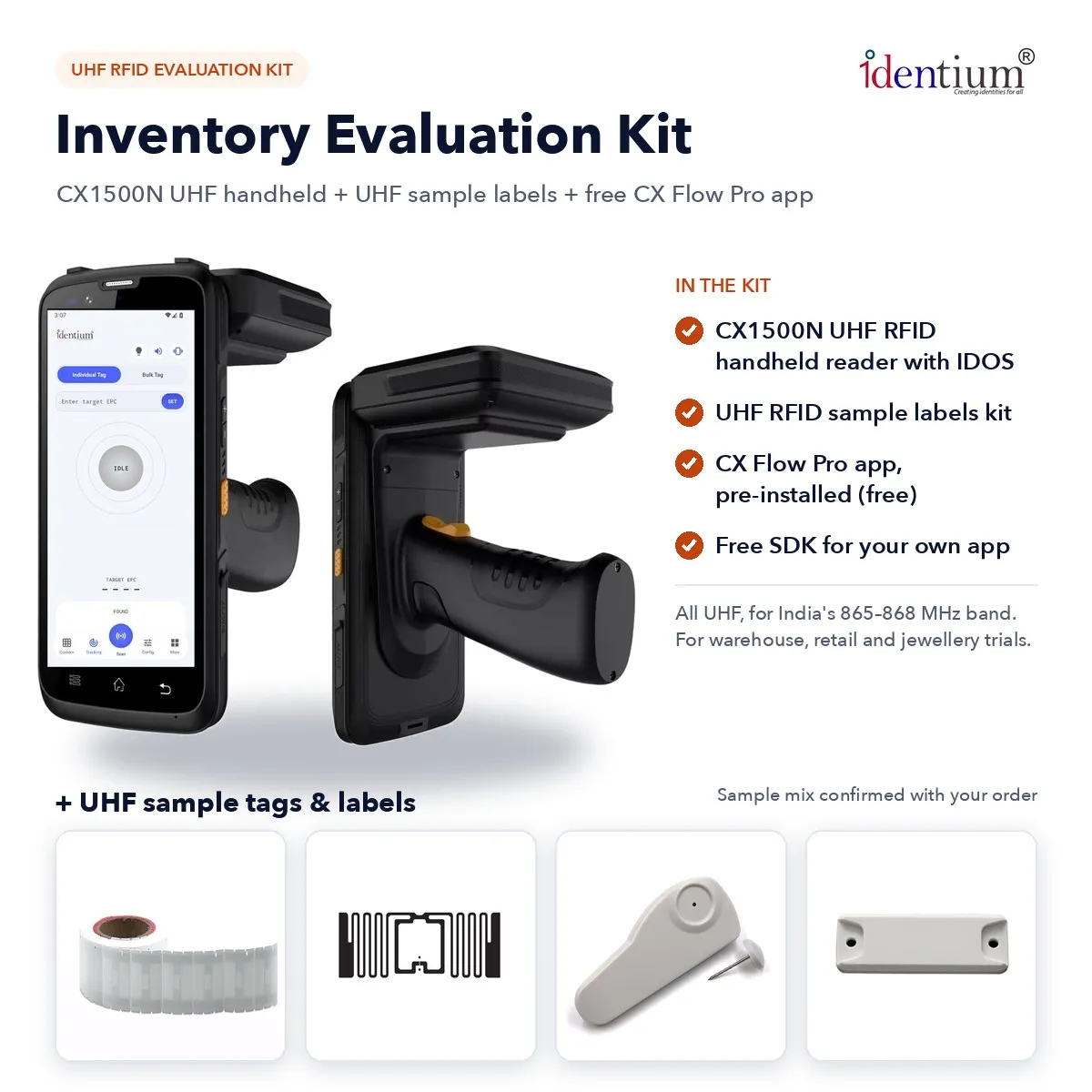
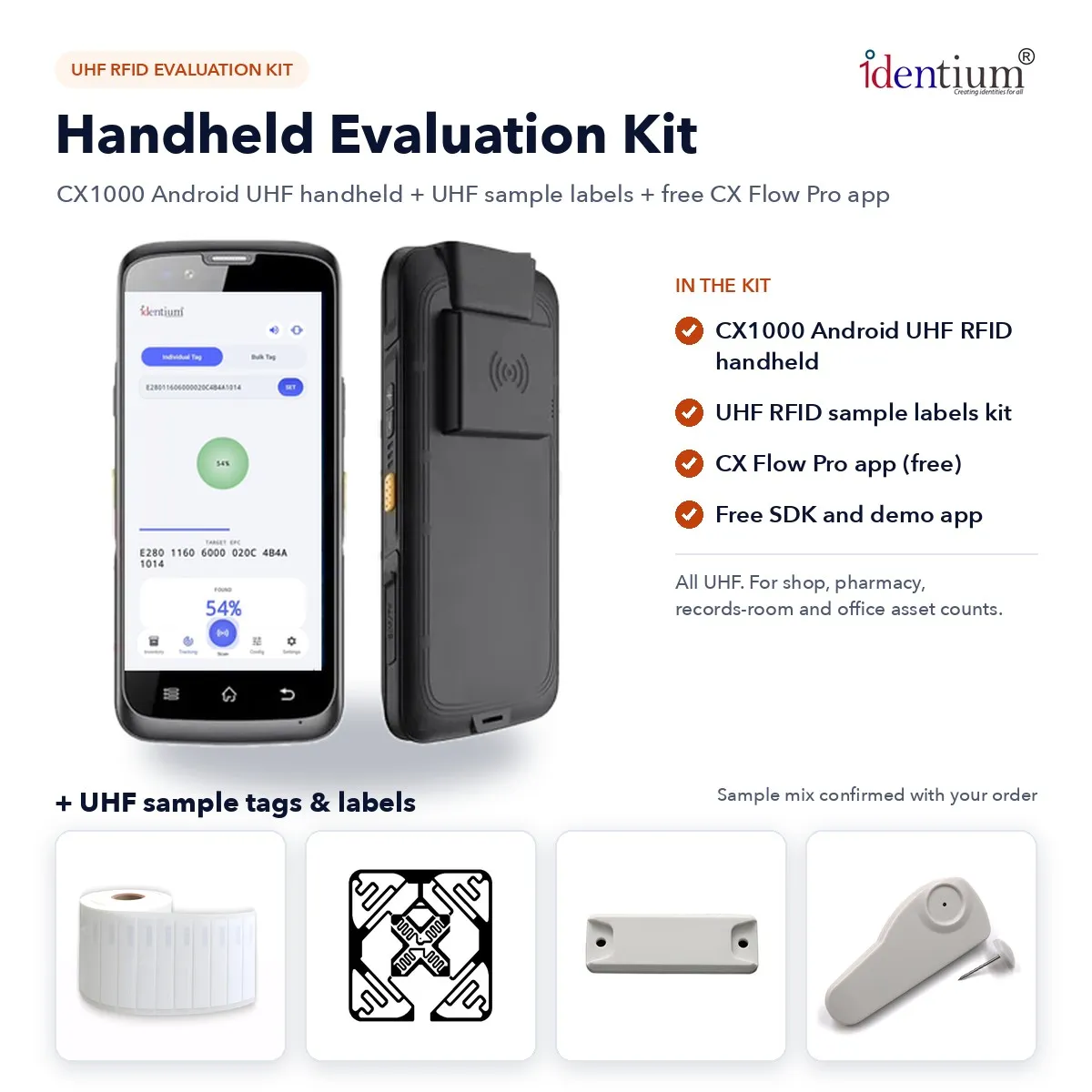
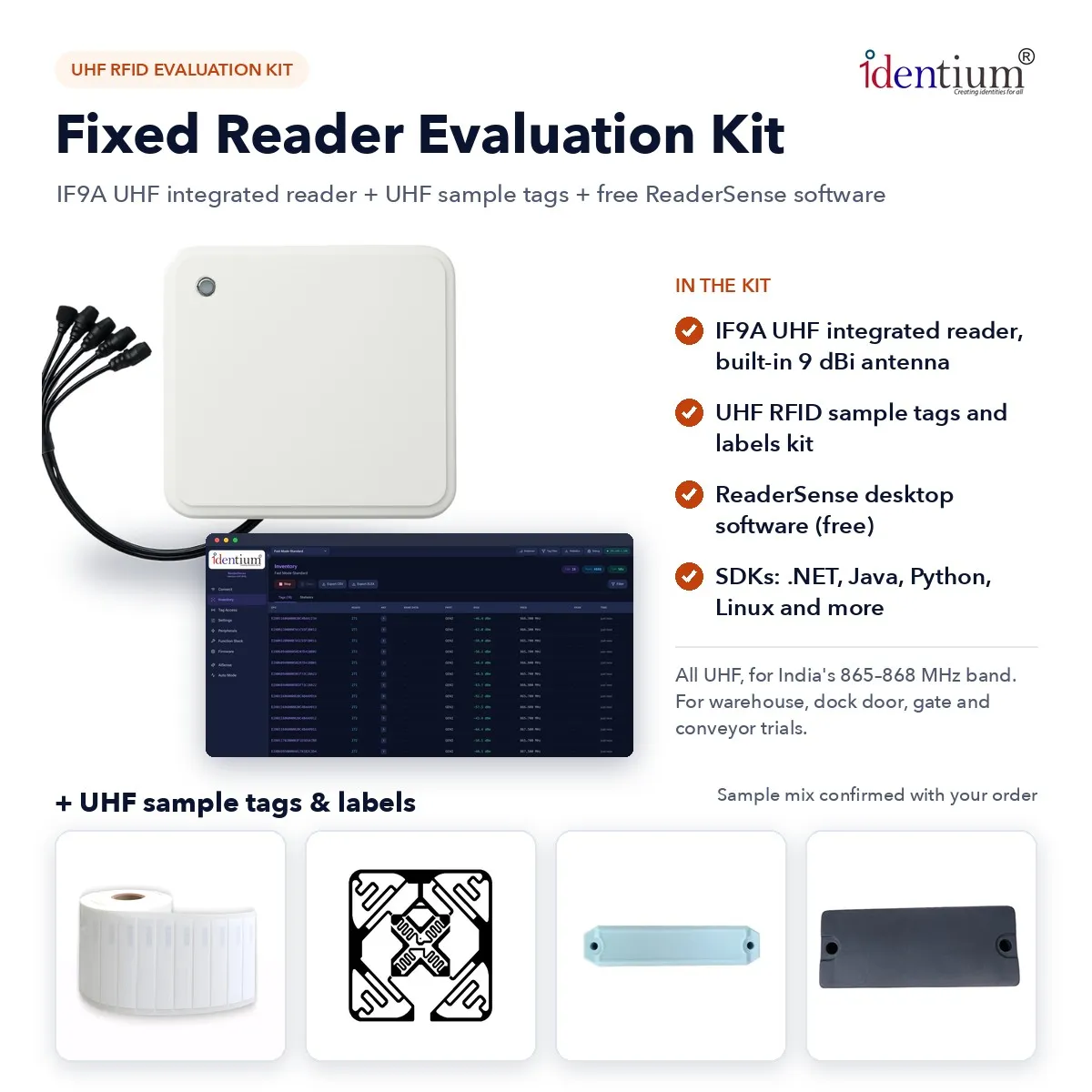
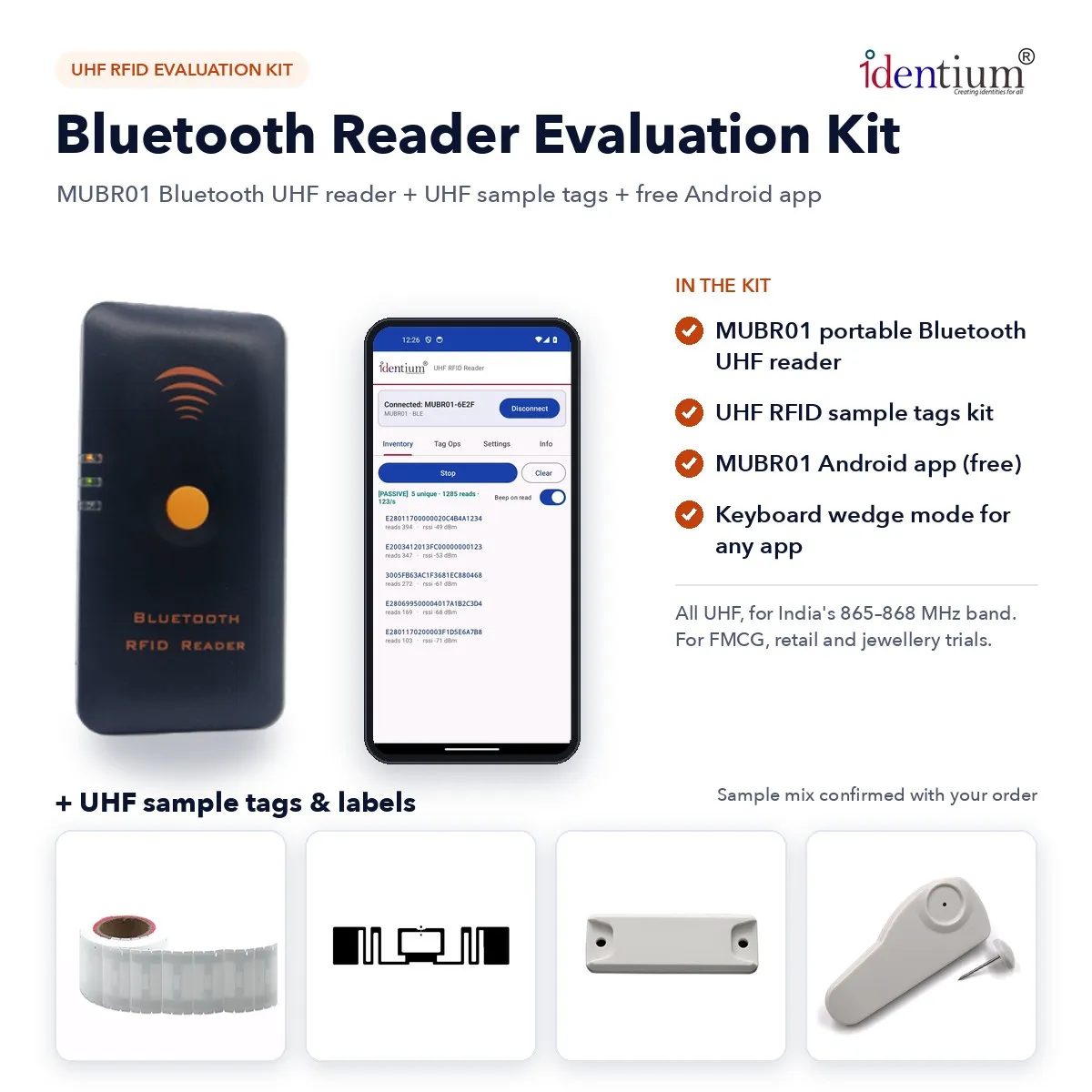
- An evaluation kit: an Identium reader, a sample kit of UHF tags and labels (the sample mix is confirmed with your order) and the reader's software, which is free (no licence fee) on every reader kit. Readers are not sent as samples, so the kit is how you get one for the trial.
- Your stock list as an Excel or CSV file, a tape measure, and a results sheet with one row per test and tag type.
- A test URL if you plan to send reads to your own system over HTTP.
- Extra tag types if the kit's mix does not cover an item: use request RFID samples, and shortlist candidates with the RFID tag finder and the tag size guide.
The software that records your results comes with each kit. As listed on the kit pages:
- Inventory kit (CX1500N): CX Flow Pro, pre-installed; no licence fee.
- Handheld kit (CX1000): CX Flow Pro, Identium's RFID data-capture app; no licence fee (provided free with the kit).
- Fixed reader kit (IF9A): ReaderSense for Windows (installer) and macOS; no licence fee.
- Bluetooth reader kit (MUBR01): MUBR01 Android app; no licence fee.
- Desktop reader kit (103): Identium DesktopReader for Windows (installer or portable); no licence fee.
- Starter kit (UCR10): UCR10 Flow for Android; no licence fee.
- Module kit (RM26): no Identium app; it works with ID Tech and ZKRFID software, and the module has an SDK.
The twelve tests
Run each test three times and record every result, not just the best one. "Working distance" means the distance you wrote down on day 1.
| # | Test | How to run it | Pass when |
|---|---|---|---|
| 1 | Open-air baseline | Hold each sample tag in front of the reader at the power you plan to use and step back until reads stop. | A baseline distance is recorded for every tag type. It is a reference, not a target. |
| 2 | Range on the item | Fix each candidate tag to the real item and repeat test 1. | The tag reads at the working distance in three of three passes. |
| 3 | Orientation | Turn the item through the angles staff will actually present it at: tag facing the reader, edge-on, and facing away. | Every realistic orientation reads at the working distance, or you write a rule for where the tag goes. |
| 4 | Metal and liquid | Repeat test 2 on metal surfaces and next to bottles, comparing standard labels with on-metal or anti-liquid types. | The chosen tag reads on its hardest item at the working distance. |
| 5 | Population | Fill a real carton, tray or shelf with a known number of tagged items and read it as a whole. Compare the unique count with the known count, or load your list and check found and missing. | The unique count equals the known count in three of three passes. |
| 6 | Read rate at working pace | Walk the aisle, run the conveyor or drive through the gate at normal speed. | Every tagged item is read at normal pace. Note the fastest pace that still passes. |
| 7 | Read zone and stray reads | Place tagged items just outside the zone: the next dock door, the adjacent shelf, the staging area. Lower the power step by step. | No reads from outside the zone at a power that still passes test 6. |
| 8 | Interference | Repeat tests 5 and 6 with the site running: other readers, motors, forklifts, metal doors and phones nearby. | Results of tests 5 and 6 do not change. |
| 9 | Re-reads and duplicates | Leave tags in the reader's field for several minutes, then pass them through again. | Each tag counts once in the unique count, and you know where duplicates are filtered: in the app, the software or the controller. |
| 10 | Encoding structure | Write the numbering you will use in production (a serial or a GS1 scheme) to the batch, verify each write, read the TID, and lock tags if your process needs it. | Every tag in the batch is written and verified, and the numbers match your item master. |
| 11 | Export and data path | Export a session and compare it with the stock list, or send reads to your test URL. | The export matches the physical count, and the data arrives in the format your system needs. |
| 12 | Wear over two weeks | During the batch trial, re-check tags on items handled every day for adhesion, abrasion, washing or heat, as relevant. | No tag is lost, peeled or unreadable after two weeks, or you know which item types need a different tag. |
The kit software covers most of these directly. The CX1500N, CX1000 and UCR10 kits load a stock list and show found and missing items (test 5) and have a single-tag finder for tracking down a missing piece. On the CX1500N, IF9A, MUBR01, 103 and RM26 kits you can change the reader power (test 7).
For test 10, the 103 kit's DesktopReader batch-writes an auto-increment serial or a list from Excel and verifies after each write; our GS1 and EPC encoding guide explains SGTIN-96 if your buyers ask for GS1 numbers. For test 11, every reader kit exports to Excel; the CX1500N, CX1000 and IF9A also send reads by HTTP POST, the 103 sends JSON over HTTP, and on the RM26 module kit you check the output on the interface you will use in production.
The 30-day plan, week by week
- Week 1 (days 1–7): targets and bench tests. Write down the job, items, distances and targets. Unpack the kit, install or open the software, and run tests 1 to 4 with the sample mix on a table and on single items. Use the read range calculator to sanity-check the distances you see.
- Week 2 (days 8–14): on the floor. Move to the real shelves, racks, counters or doorways and run tests 5 to 9 during normal working hours. Shortlist one tag per item type.
- Weeks 3 and 4 (days 15–28): one batch in daily use. Order one 500-piece batch of the shortlisted tag, which is the minimum order for tags and labels. Encode it (test 10), tag a real slice of stock, and use RFID in the daily job for two weeks alongside your current method. Run test 11 every few days and test 12 at the end.
- Days 29 and 30: decide. Put the results sheet in front of the people who own the job and the budget, and decide go, fix and re-test, or stop.
Reading the results: go, fix or stop
- Go. All twelve tests pass. Your results sheet already says which tag goes on which item, how many read points or handhelds you need and how the data reaches your system. Send that requirement through bulk RFID pricing for a quote.
- Fix and re-test. One or two tests fail. Typical fixes are a different tag (on-metal or anti-liquid), a different tag position, a power change, an extra antenna or a different reader type. Our troubleshooting guide, the antenna and read-zone guide and the page on fixed vs handheld readers cover the usual causes. Re-run only the failed tests.
- Stop or change technology. If the job turns out to need a continuous position rather than reads at points, passive RFID is the wrong tool; compare the options in RFID vs BLE vs UWB vs GPS.
Mistakes that spoil a pilot
- Testing only in open air. The open-air number is the best case. Always test on the item.
- Testing one tag. Compare at least two candidate tags on the hard items; the sample mix exists for that.
- Treating the ceiling as a promise. The RAIN Alliance says RAIN RFID can identify up to 1,000 items per second; your read rate is set by your items and your pace, which is what test 6 measures.
- Skipping the data path. A perfect read that never reaches your stock system is a failed pilot. Run test 11 early, not on day 30.
- Testing on the wrong band. Keep the reader on India's 865–868 MHz setting. For the CX1000 and 103 kits, confirm the India band when you order.
If you are still choosing the reader itself, start with RFID machine or scanner: which reader you need; if the data must go to a controller, see our guide to RFID reader interfaces.
Sources
- ISO/IEC 18046-3:2020, Information technology: Radio frequency identification device performance test methods, Part 3: Test methods for tag performance (catalogue entry and abstract), accessed 25 October 2026
- RAIN Alliance: What is RAIN technology (up to 1,000 items per second; tags encoded following ISO standards or the GS1 EPC Tag Data Standard), accessed 25 October 2026
Cite as: India RFID Store (Identium Tech Solutions Pvt Ltd), “How to Run an RFID Pilot: A 30-Day Test Plan with a Kit”, https://www.indiarfidstore.com/rfid-resources/how-to-run-an-rfid-pilot-india-30-day-test-plan-evaluation-kit, published 25 Oct 2026.
Frequently asked questions
How long should an RFID pilot take?
What is in an RFID evaluation kit?
How many tags do I need for an RFID pilot?
What read rate should I expect from UHF RFID?
Can I test RFID with my existing software?
What if the tags do not read on metal or liquids?
RFID PilotEvaluation KitUHF RFIDTestingProof of Concept
Keep reading
More guides



More in Readers & hardware
- RFID Scanner to Excel: How to Scan Card and Tag Numbers into a Spreadsheet (USB Keyboard Mode)
- Can a Phone Read UHF RFID Tags? Sled vs USB-C vs Handheld (India 2026)