RFID Tags Not Reading? A Practical Troubleshooting Guide for Indian Deployments
Published 9 Aug 2026Updated 25 Oct 202612 min read
Written and maintained by the RFID team at Identium Tech Solutions Pvt Ltd, New Delhi (India RFID Store).

Short answer: When RFID tags stop reading, the tag itself is rarely the fault. In Indian deployments the cause is almost always one of five things: the wrong tag for the surface (metal or liquid detuning), poor tag-to-antenna orientation, reader power and antenna placement, hardware built for the US 902–928 MHz band being used with India's 865–868 MHz tags, or RF loss in cables and connectors. Diagnose them in that order and you will normally find the problem quickly.
This guide is for warehouse and plant managers, systems integrators, maintenance engineers and IT teams in India who already have RFID hardware installed and are seeing read rates well below what they were promised. It assumes passive UHF (EPC Gen2) equipment operating in India's 865–868 MHz band, which covers the vast majority of inventory, asset, logistics and manufacturing deployments in the country.
What is the right order to troubleshoot RFID tags that are not reading?
Test in one direction only: a single tag on a bench reader, then the tag applied to the item, then the item in the read zone, then a full pallet or trolley, then a live shift. Each step adds exactly one variable, so the step that breaks is the cause. Changing reader power first, the usual instinct, hides the real fault and creates new stray-read problems downstream.
- Bench test one tag. Hold a known-good tag a few centimetres from a desktop reader at low power. If it does not read here, the tag or the encoding is the problem; go straight to the section on damaged and mis-encoded tags below.
- Apply the tag to the actual item. If it reads on the bench but not on the product, you have a material problem: metal, water, foil, gel, carbon-loaded plastic or a wet carton.
- Present the item to the installed antenna. Move it slowly, in several orientations. If one orientation works and another does not, it is polarisation or placement.
- Check the reader's region and RF settings. Band, per-antenna power, session and Q value.
- Check the physical RF path. Connectors finger-tight and dry, no crushed cable, no unterminated ports.
- Only then scale up. Move on to full pallets, moving forklifts and multi-reader zones.
Are my reader and tags actually on the same frequency band?
India's UHF RFID band is 865–868 MHz, notified by WPC/DoT under G.S.R. 853(E) of 2021 and usable licence-free within the notified power limits. Readers and antennas sold for North America are built and tuned for 902–928 MHz. Pair US-band hardware with India-band tags, or the reverse, and you lose most of your range even though everything looks like it is working.
This is one of the most common faults we see in grey-imported hardware. It is easy to miss because the reader still powers up, still shows a green light and still reads a tag held right against the antenna. Check these:
- Reader configuration: the region or regulatory profile must be set to India / 865–868 MHz, not FCC or "Universal".
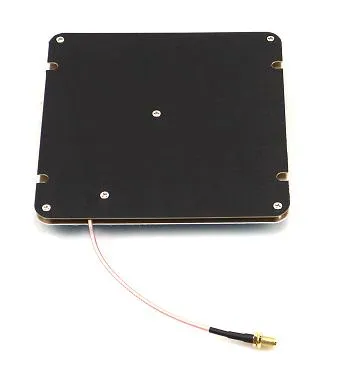
- Antenna datasheet: confirm the antenna is tuned for 865–868 MHz, not 902–928 MHz. A US antenna on an Indian reader is a silent range killer.
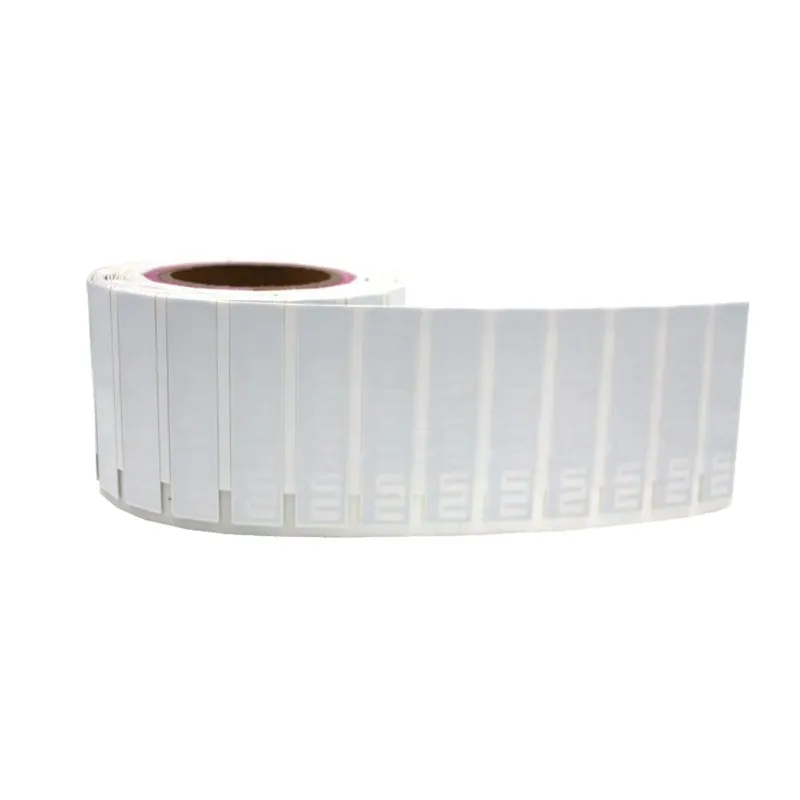
- Tag inlay tuning: global or "worldwide" inlays work across both bands but usually give slightly less range in one of them than a band-optimised inlay. Ask your supplier which tuning you received.
- Import paperwork: readers are radio transmitters and need the right approvals. Read the WPC ETA and BIS checklist for RFID readers before you buy from an overseas marketplace.
Why do my tags fail on metal, liquids and wet cartons?
A passive UHF tag is an antenna first and a chip second. Metal placed directly behind that antenna reflects and short-circuits the field and shifts the tag's resonant frequency; this is detuning. Water and water-rich products absorb energy at UHF instead of reflecting it. In both cases a standard label reads perfectly on a table and dies on the item.
The fix is tag selection, not more power. Standard UHF inlays and labels are designed for cardboard, plastic and fabric. Metal and liquid need a tag engineered with a spacer, ground plane or ceramic substrate.
| Surface / product | What goes wrong with a standard label | What to use instead |
|---|---|---|
| Steel racking, tools, dies, gas cylinders | Severe detuning; read range collapses to near zero | Hard on-metal RFID tags, or on-metal labels with a foam or ground-plane spacer |
| IT assets, laptops, servers, panels | Partial detuning; intermittent reads that vary by angle | Slim on-metal labels or PCB and ceramic tags |
| Bottled water, paints, chemicals, milk crates | RF absorbed by the liquid; tags on the far side never read | Tag on the outer carton edge, a stand-off tag, or read from above with better antenna geometry |
| PCBs, small metal components, jewellery | Tag too large; metal too close | Ceramic and PCB tags, or jewellery-specific tags |
| Laundry, uniforms, wet linen | Moisture absorption and mechanical damage in the wash | Sealed, washable laundry tags |
For bottles, cosmetics, cans and foil packs, the guide to placing RFID tags on liquid products covers where the tag should go. If you are unsure which family suits your product, test before you commit: request RFID samples and run them against your own items and reader.
How much does tag orientation and antenna polarisation matter?
A great deal. A passive tag antenna has a null: when its long axis points straight at the reader antenna, it receives almost nothing. With a linearly polarised reader antenna, a tag rotated 90 degrees can drop out completely. Circularly polarised antennas read tags at any rotation but give up some effective range compared with a matched linear pair.
Practical rules:
- Use circular polarisation when tag orientation is uncontrolled: mixed cartons, trolleys, dock doors.
- Use linear polarisation when orientation is fixed and you need maximum distance: a conveyor or a fixed rack face.
- If reads are intermittent as items pass, add a second antenna on the opposite plane rather than raising power.
The RFID antenna guide covers gain, polarisation and read-zone geometry in detail.
Is my reader power too low, or is it actually too high?
Both failure modes exist. Too little power and tags at the edge of the zone never wake up. Too much power and you get reflections off walls, racking and forklift masts, tags reading from outside the intended zone, and a reader that spends its time re-reading the same nearby tags instead of finding distant ones. More power is not more accuracy.
Transmit power plus antenna gain minus cable loss must stay inside India's notified limit, so a high-gain antenna forces you to turn the reader down. Beyond raw power, check the protocol settings that most installers never touch:
- Session and target flags: the wrong session makes tags reply repeatedly in a small population and go quiet in a large one.
- Q value: set for a handful of tags but presented with a full pallet, the reader collides and misses.
- RSSI filtering: a threshold that discards weak, far-away reads is the cleanest cure for cross reads.
- Per-antenna power: a multi-port reader does not have to run all its ports at the same level.
- Dwell time and antenna cycling: if the reader cycles ports too fast, a moving pallet may never get a full inventory round on the right antenna.
Why am I reading tags from the next aisle?
Stray or cross reads mean your read zone is bigger than your physical zone. RF does not stop at a painted line: it bounces off steel racking, shutter doors and concrete, and a portal running at high power can easily pick up tagged stock sitting one aisle away. This shows up as phantom receipts, items "dispatched" that never moved, and inventory counts that are too high.
Try these fixes in order:
- Reduce power on the offending port.
- Down-tilt or re-aim the antenna toward the floor or the item plane.
- Add an RSSI threshold so only strong, in-zone reads are accepted.
- Move stationary tagged stock out of the beam.
- Add RF-absorbing material or a physical barrier.
- Switch to a properly tuned portal.
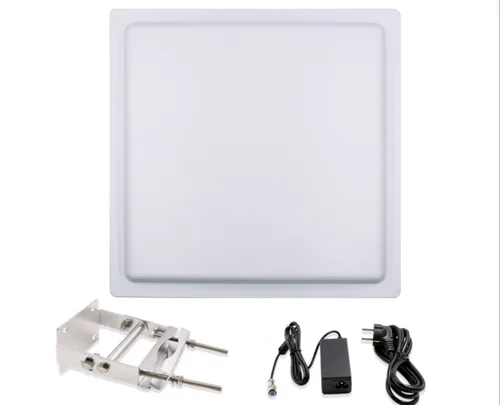
Purpose-built RFID gate readers and integrated readers with inbuilt antennas exist precisely because a shaped, contained read zone beats a powerful one. Examples are the IF-12 integrated reader and, for a deliberately short zone, the IDTS-ULA low-gain antenna (0–2 m read zone) or the IDTS-RANF150 near-field antenna.
How do I tell a damaged tag from a mis-encoded tag?
Use the TID. Every EPC Gen2 chip carries a factory-programmed, unique Tag ID that is locked and cannot be rewritten. If a bench reader sees the TID but the EPC is blank, duplicated or wrong, the chip is alive and the problem is encoding or your software. If nothing at all responds with the tag held right against the antenna at full power, the chip or its antenna strap is physically dead.
- Dead tags: look for creases across the inlay, staples or rivets through the antenna, heat damage from over-hot printing, adhesive residue over the chip, or crushed cartons.
- Mis-encoded tags: duplicate EPCs across a batch is the classic sign, usually a printer template or middleware counter that was not incremented.
- Batch faults: if a whole roll behaves the same way, print and encode a fresh roll on an RFID printer with verification enabled so bad tags are voided at print time.
- Population faults: a small handful of failures spread across a large batch is normal handling attrition; a consistent, significant proportion failing points to a process or tag-selection issue.
Can other readers, cables and connectors be stealing my range?
Yes, and this is the most under-diagnosed category. Cable loss costs you twice, once on the way out to the tag and once on the signal coming back, so a run that looks fine on paper can quietly cut your effective read range. Two readers whose zones overlap can also desensitise each other, especially when several dock doors sit within a few metres.
- Use low-loss coaxial cable and keep runs short. Thin, general-purpose patch cable over a long run loses considerably more signal at UHF than proper low-loss cable of the same length.
- Hand-tighten every connector, check for water ingress on outdoor gate installs, and never leave an unused reader port open; terminate it.
- Never crush, kink or cable-tie coax tightly around a corner. A damaged dielectric changes the impedance and reflects power straight back into the reader.
- Enable dense-reader operation where your reader supports it, and stagger channels or timings between neighbouring readers rather than running them all flat out.
- Keep antennas away from VFDs, welding sets, large motors and unshielded LED drivers, which raise the noise floor.
Why does a handheld miss items during a retail cycle count?
A handheld that reads perfectly on a test bench can still miss stock on a shop floor, and the cause is usually the way the items are presented rather than the reader. Three cases account for most of it: densely stacked textiles, metallised packaging, and tags lying in the reader's blind spot.
Stacked and folded garments
Thin items packed face to face couple into each other and shift each tag's tuning away from the band it was designed for. Denim is the worst common case because the fabric is dense and often damp-finished, and a stack of folded jeans can absorb enough energy that only the outer layers answer.
The fix is procedural as much as technical: sweep the stack from the side as well as the front, halve the walking speed over stacked tables, and use an inlay characterised for dense stacks rather than one specified in free space.
Metallised and foil-packed goods
Cosmetics, sachets, coffee, confectionery and pharmaceutical blisters often sit in foil-laminated packaging that reflects UHF energy and detunes a label stuck directly to it. A tag on the foil face will read poorly however much power you add. Move the tag to a non-metallised panel, use a spacer or on-metal construction, or tag the outer carton instead of the primary pack.
Orientation and nulls
A linear tag presented edge-on to a linearly polarised antenna can drop out entirely. On handhelds this shows up as items that read when you approach from one side and vanish from the other. Sweep each fixture from two angles before concluding stock is missing, and prefer circular polarisation where orientation is uncontrolled.
Before re-counting, rule out the software causes too: an overly aggressive session setting, too short a dwell time per fixture, or a Q value tuned for a small population will all under-report a dense rail. Those settings are covered in the reader power section above.
Which symptom points to which cause?
Use this table as a first-pass diagnosis. Match what you actually observe, not what you assume: "the tags are bad" is a conclusion, not a symptom. Each row names the most probable cause in Indian deployments and the cheapest first action to confirm it.
| Symptom | Most likely cause | First thing to try |
|---|---|---|
| No tag reads at all, anywhere | Wrong region/band setting, dead antenna port or disconnected cable | Bench test one tag held close to the reader; check the reader region is set to India 865–868 MHz |
| Reads on the bench, not on the product | Metal or liquid detuning | Switch to an on-metal or stand-off tag; retest |
| Reads up close but not at the working distance | Cable/connector loss, low antenna gain, or a US-band antenna | Swap the coax; verify antenna band and gain |
| Reads in one orientation only | Linear polarisation vs tag alignment | Move to circular polarisation or add a second antenna plane |
| Most of a pallet reads, but never the whole count | Shadowing by inner cartons; Q/session settings; dwell time too short | Add an opposing antenna; tune Q and session; slow the pass |
| Extra tags appear that are not in the zone | Power too high, reflections, no RSSI filter | Reduce port power, down-tilt the antenna, set an RSSI threshold |
| Duplicate or blank EPCs | Encoding/printer template fault, not RF | Read the TID; re-encode with print verification on |
| Worked fine, degraded over weeks | Tag damage in handling, water ingress, or new metal stock in the beam | Inspect tags and antenna mounting; re-survey the zone |
| Fails only during certain shifts | Neighbouring reader interference or plant machinery noise | Log RSSI over time; stagger reader channels/timings |
What should I check before I call my supplier?
Collect five pieces of evidence and any competent supplier can diagnose the issue remotely: the reader make, model and firmware; the region setting; per-antenna transmit power; the exact tag part number and inlay; and a photo of the tag applied to the real item with the antenna in frame. Without these, everyone is guessing.
- Export a read log with RSSI values, not just a tag count.
- Note whether failures are item-specific, position-specific or time-specific.
- Confirm whether anything physically changed: new racking, new packaging, a relocated antenna, a new pallet wrap.
- Keep a few known-good control tags in a drawer, never used in production, purely for bench comparison.
The same handful of causes account for the overwhelming majority of read-rate complaints we are called about, and almost all of them are solved by correct tag selection and antenna geometry, not by buying a more expensive reader.
A note on regulation: India's UHF RFID band allocation, power limits and equipment approval requirements are set by WPC/DoT and BIS, and they can change. Verify the current band, power and certification requirements against the official WPC/DoT notification and your equipment's approval paperwork before you purchase or deploy.
Still stuck? Send us your item, your surface and your read-distance target, and we will recommend a tag and antenna combination that works on it. Browse UHF RFID tags, on-metal RFID tags and UHF RFID readers.
Related guides
Frequently asked questions
Why does our RFID handheld miss items in stacked denim during a cycle count?
Why do foil-packed cosmetics and sachets fail to read?
Why do my RFID tags read on the table but not on the product?
Can UHF RFID read through walls, racking and cartons?
Will increasing reader power fix a poor read rate?
Can I use a US 902–928 MHz RFID reader in India?
How do I know whether a tag is dead or just badly encoded?
Why am I picking up tags from the next aisle?
What read rate should I realistically expect in a warehouse?
RFID TroubleshootingUHF RFIDRead RateIndia RFIDWarehouse RFIDRFID Antennas
Cite as: India RFID Store (Identium Tech Solutions Pvt Ltd), “RFID Tags Not Reading? A Practical Troubleshooting Guide for Indian Deployments”, https://www.indiarfidstore.com/rfid-resources/rfid-tags-not-reading-troubleshooting-guide-india, updated 25 Oct 2026.
Keep reading
More guides
 RFID for E-commerce & D2C Fulfilment in India: Faster Picking, 100% Accuracy & Quicker Returns (2026)5 min read
 RFID in Logistics & Supply Chain in India (2026): Dock-Door Verification, Carton & Pallet Tracking, and 3PL Visibility7 min read
 RFID Antenna Guide — dBi, Polarization & Read Zones Explained (India 2026)10 min read
More in Readers & hardware
- RFID Gate, Portal & Tunnel Readers: The 2026 India Buying Guide for Dock Doors & Choke Points
- RFID Software & Middleware Explained (2026): Turning Tag Reads into ERP/SAP/WMS Data in India
- How to Choose the Right RFID Reader — Read Range, Antenna Ports & IP Rating Explained (India)
- How to Choose the Right RFID Reader for Your Application — India Buyer's Guide 2026
_Z1BHfBd.webp)