
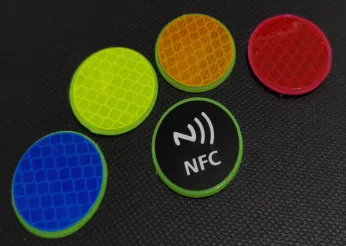
RFID ABS NFC Radium Tag
A 13.56 MHz NFC tag in an ABS housing with a reflective (radium) face that catches torchlight and headlights. Made to mark guard patrol points, fire extinguishers and outdoor equipment that staff must find and tap in the dark.
- Brand:
- Identium
- Frequency:
- 13.56 MHz (HF / NFC)
- Chip:
- N21X (NTAG21x), F08, S50, Ultralight, M1 or EV1
- Datasheet:
- PDF · 78 KB
- Listing updated:
₹35
per piece + 18% GST
Min. order 500 piecesThe final price for your quantity is confirmed in the quote
Choose a size
Optional: you can also confirm it in the quote
- 7-day replacement · 1-year warranty against manufacturing defects
- Blue Dart next-day delivery
- Samples ₹250 (1–2 pcs, incl. shipping) · request a sample of this tag
Sold by India RFID Store, the online catalogue of Identium Tech Solutions Pvt Ltd, an RFID manufacturer in New Delhi, India, in business since 2010.
Key features
- Reflective radium face that stands out in low light and at night
- 13.56 MHz: read with an HF reader, or an NFC phone with N21X/Ultralight chips
- ABS housing in 25, 30 and 60 mm
- Chip options: N21X, F08, S50, Ultralight, M1, EV1
- 3M 467MP or generic adhesive; custom QR, logo or text print
Overview
NFC radium tag for checkpoints you must find in the dark
A patrol point or extinguisher tag only works if the guard can find it at 2 a.m. This tag puts a 13.56 MHz NFC chip in an ABS housing with a reflective radium face, so it shows up as soon as a torch or headlight sweeps across it.
Where it earns its place
- Night patrol rounds, where the guard taps each checkpoint with a patrol phone to log the visit
- Fire extinguishers and safety equipment, tapped during inspection rounds
- Emergency exits and evacuation routes
- Outdoor utility assets such as poles, meter boxes and valves
- Equipment parked on construction sites
Picking the chip
If staff will tap with smartphones, choose N21X (NTAG21x) or Ultralight, which follow the NFC Forum Type 2 format that phones read reliably. S50, M1 and F08 are MIFARE Classic-type chips for dedicated HF patrol readers and existing MIFARE systems. Print a checkpoint number or QR code on the face as a manual back-up. The NFC vs RFID guide explains the difference, and more formats are in HF RFID and NFC tags.
Where to use the RFID ABS NFC Radium Tag
- Guard patrol checkpoints
- Fire extinguisher checks
- Emergency exit markers
- Poles and meter boxes
- Construction site equipment
Specifications
Datasheet (PDF)| Frequency | 13.56 MHz (HF / NFC) |
|---|---|
| Chip | N21X (NTAG21x), F08, S50, Ultralight, M1 or EV1 |
| Material | ABS housing with reflective (radium) face |
| Size | 25 mm, 30 mm, 60 mm |
| Mounting | Adhesive backing: 3M 467MP or generic |
| Printing | QR code, logo or text (custom) |
Software, SDK and manuals
2 downloads for the RFID ABS NFC Radium Tag.
Identium NFC App Android app
Android · .apk · 6.3 MBDownloadIdentium NFC App — User Manual Manual
PDF · Manual · 2.2 MBDownload
Frequently asked questions
Can a mobile phone read the NFC radium tag?
What does “radium” mean here?
Which sizes and fixings are available?
How is this different from the plain HF ABS tag?
Related products
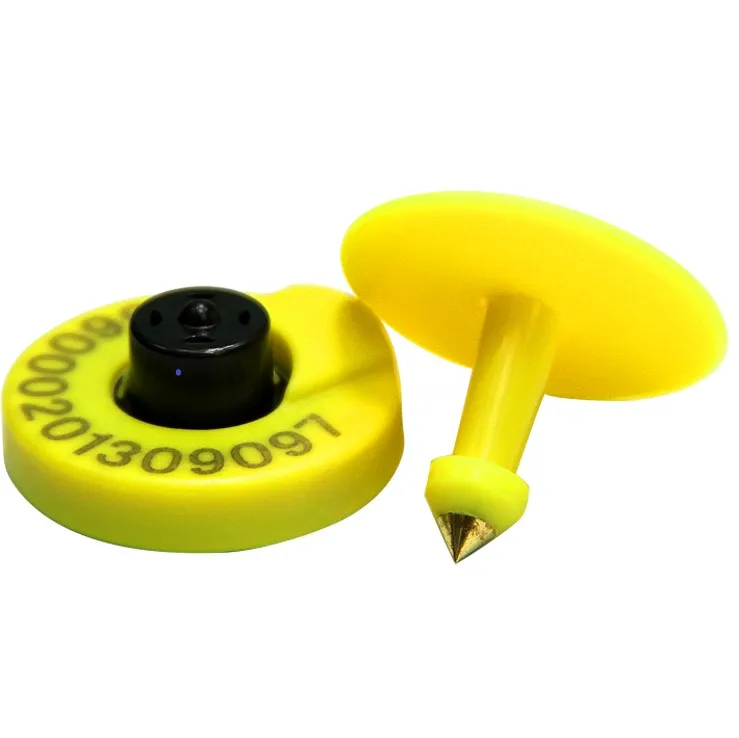
HF RFID Animal Ear Tag NAET (Round, TPU)
₹80 + GST
Min. order 500 pcs
HF Anti-Metal RFID Tag (13.56 MHz, Black)
₹50 + GST
Min. order 500 pcs
HF RFID Token Tag (Small, 13.56 MHz)
₹25 + GST
Min. order 500 pcs
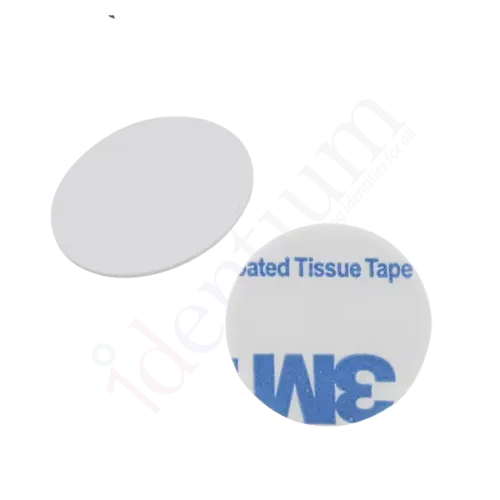
PVC RFID Coin tag
₹25 + GST
Min. order 500 pcs