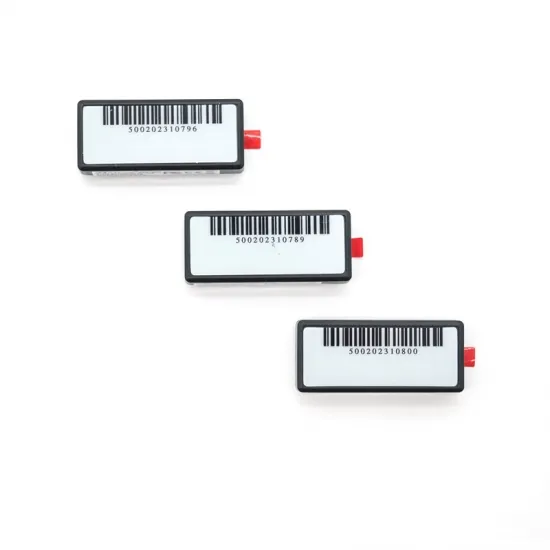
2.4 GHz Active RFID Asset Tag AT508
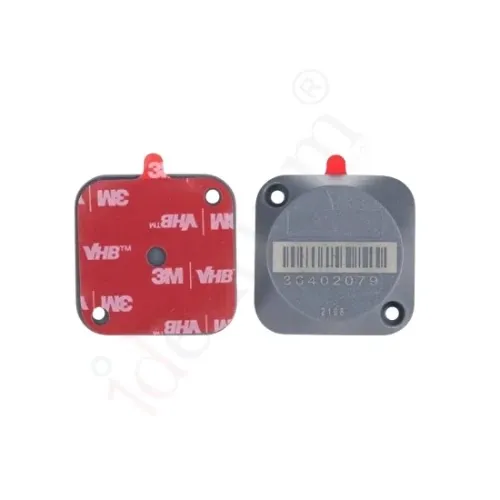
A small 2.4 GHz active RFID tag for IT assets, instruments and valuable equipment. It is read wirelessly at up to 80 m and sends an alarm through its light sensor if it is removed from the item.
- Model:
- AT508
- Brand:
- Identium
- Frequency:
- 2.4 GHz
- Read range:
- Up to 80 m, adjustable via software
- Datasheet:
- PDF · 167 KB
- Listing updated:
₹1,177
per piece + 18% GST
Min. order 100 piecesThe final price for your quantity is confirmed in the quote
- 7-day replacement · 1-year warranty against manufacturing defects
- Blue Dart next-day delivery
Sold by India RFID Store, the online catalogue of Identium Tech Solutions Pvt Ltd, an RFID manufacturer in New Delhi, India, in business since 2010.
Key features
- Light sensor sends an alarm when the tag is removed from the asset
- Identification range up to 80 m, adjustable in software
- Ultra-low power: average working current below 10 µA
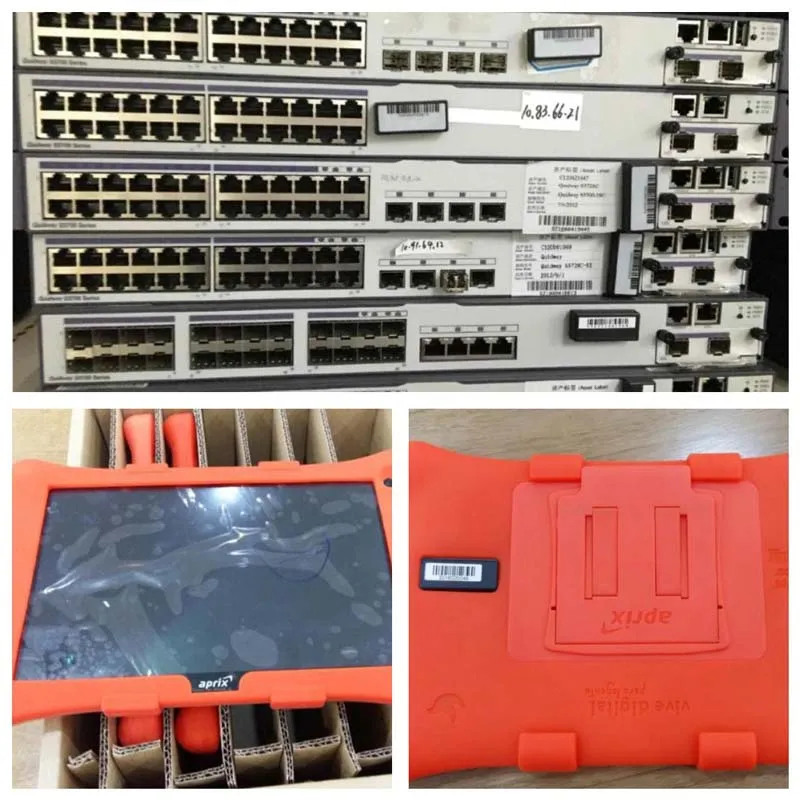
- Small form factor for IT assets, instruments and valuables
- Read wirelessly, with no contact or manual scanning
Overview
What the AT508 active RFID asset tag does
The AT508 is a small 2.4 GHz active RFID tag built for asset management. It broadcasts its ID wirelessly, so laptops, instruments and valuable equipment are identified without anyone touching or scanning the tag. Fewer handling steps mean less staff time per check and less wear on the tag.
Removal alarm for valuable equipment
A built-in light sensor detects when the tag is taken off the item it is fixed to, and the tag then sends an alarm signal. Your tracking software can raise that event at once, giving early warning of tampering or an asset being moved without permission.
Range and power
The tag is identified at up to 80 m, and the reading range can be adjusted in software to cover a whole floor or just one room or doorway. Average working current is below 10 µA, so the battery is drawn down very slowly.
Active or passive for your assets?
Active tags suit equipment you want to see continuously or protect against removal. If a periodic audit with a handheld reader is enough, a passive UHF IT asset tag usually costs less per item. Our fixed asset audit guide explains how to plan an RFID asset register.
Where the AT508 is used
- IT asset tracking
- Instrument tracking
- Valuable equipment security
- Asset tamper alerts
- Office equipment audits
Specifications
Datasheet (PDF)| Type | Active RFID asset tag (battery-powered) |
|---|---|
| Frequency | 2.4 GHz |
| Read range | Up to 80 m, adjustable via software |
| Power | Ultra-low power, average working current < 10 µA |
| Sensor | Light sensor; sends an alarm signal when removed from the object |
| Shape | Small asset-mount tag |
Frequently asked questions
How does the AT508 removal alarm work?
What is the read range of the AT508?
How long does the AT508 battery last?
Which reader do I need for the AT508?
Used in these RFID solutions