
RFID Asset Management Software & Solution
Identium's UHF RFID asset management software for registering assets, running location-wise audits on a handheld reader, exporting reports to Excel or PDF and tracing missing assets. Used with RFID tags, readers and an RFID printer.
- Brand:
- Identium
- Datasheet:
- PDF · 161 KB
- Listing updated:
₹75,000
per piece + 18% GST
Min. order 1 pieceThe final price for your quantity is confirmed in the quote
- Quoted per project
Sold by India RFID Store, the online catalogue of Identium Tech Solutions Pvt Ltd, an RFID manufacturer in New Delhi, India, in business since 2010.
Key features
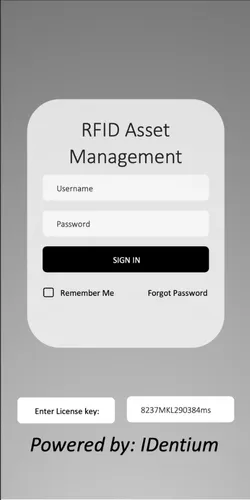
- Asset registration maps each RFID tag and barcode to name, serial number and location
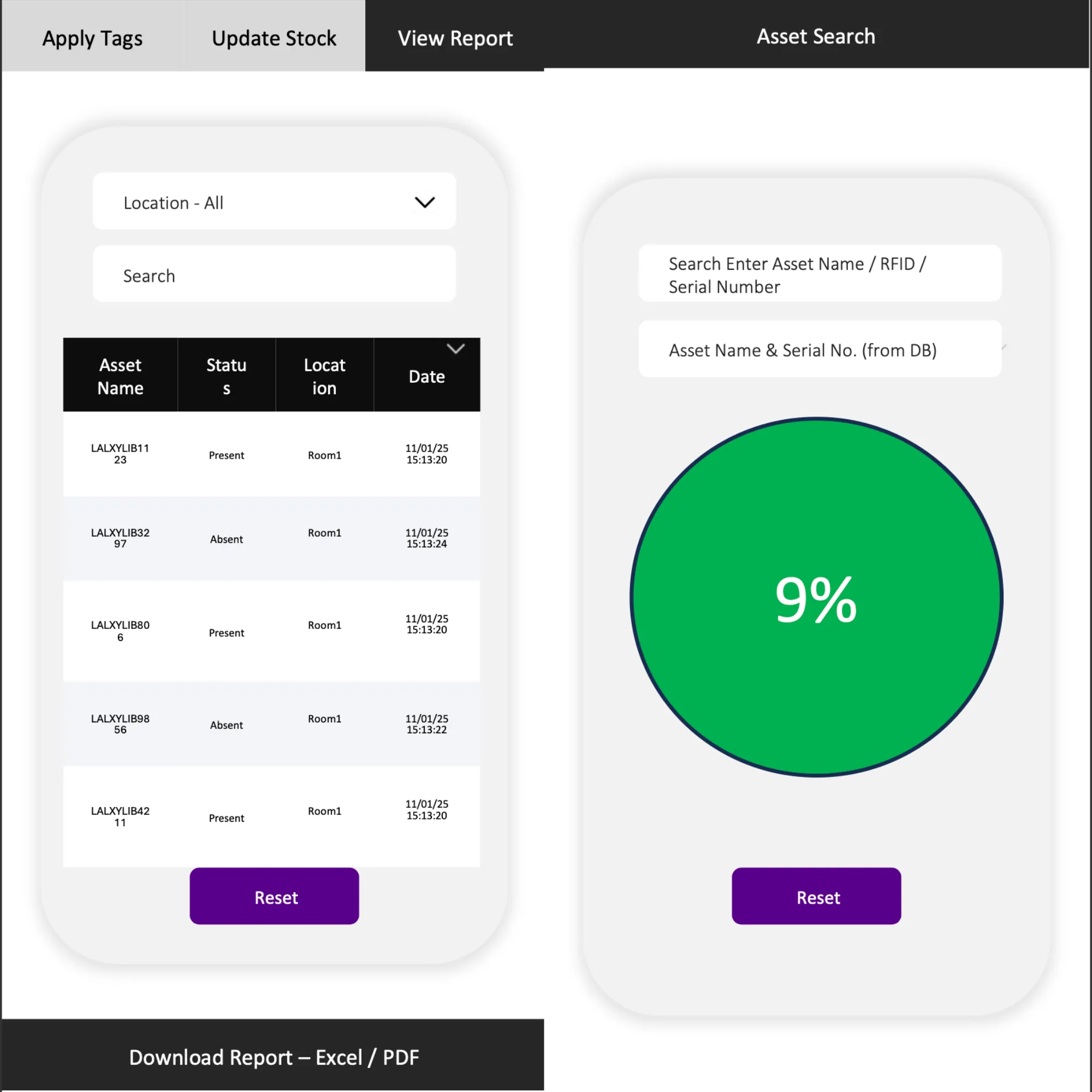
- Location-wise audit shows which assets were scanned and which were not
- Dated audit reports export to Excel and PDF, or import into your own software
- Asset Search guides you to a missing asset using its RFID number
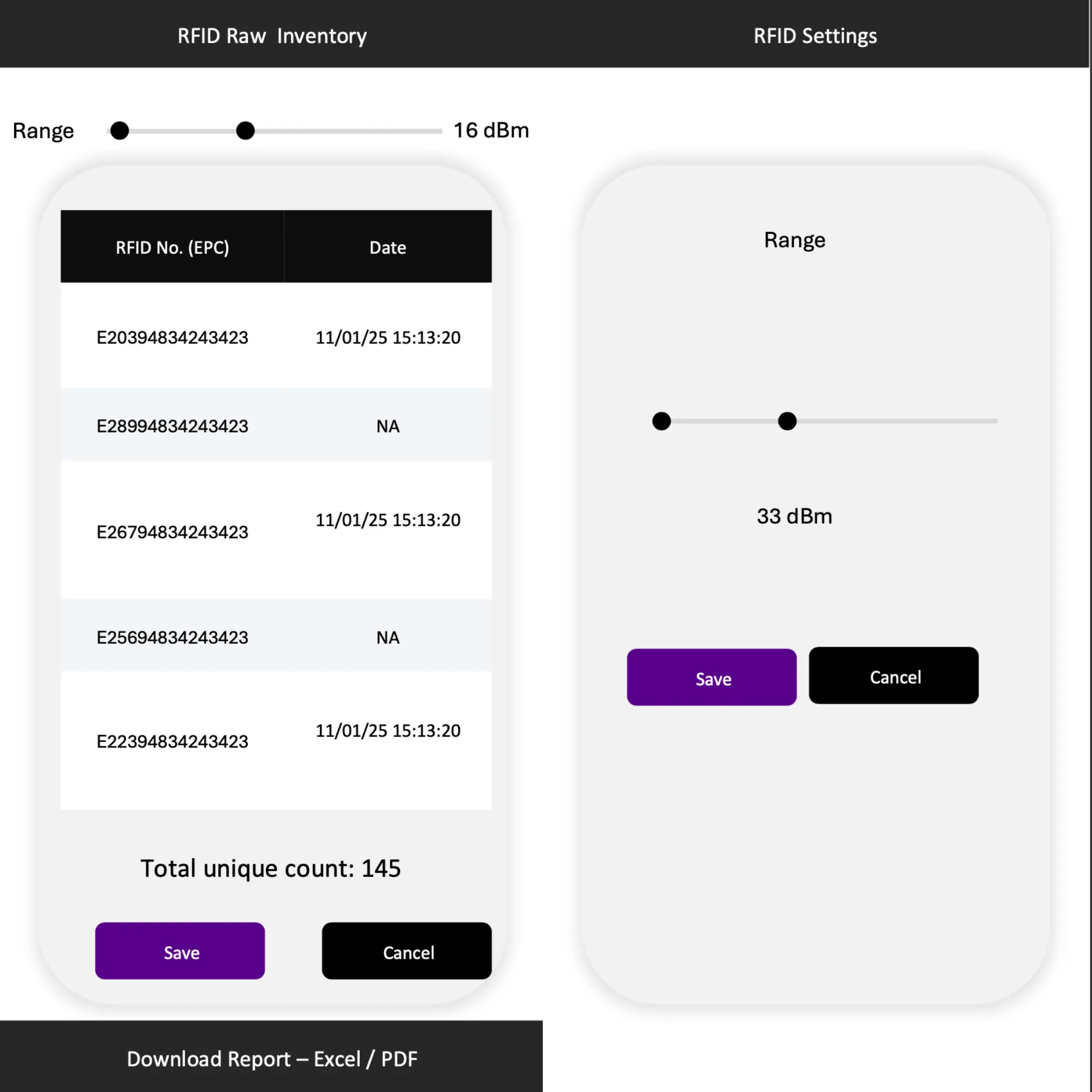
- Raw Inventory mode logs tag numbers with a timestamp
- Used with the CX1500N handheld, IF9A fixed reader and IT4RL RFID printer
Overview
What the RFID asset management software does
Checking fixed assets by hand, reading serial numbers off laptops, chairs and machines and ticking them against a register, takes days and still misses items. With UHF RFID, every asset carries a tag and a handheld reader picks up the tags in a room in one sweep. Identium's asset management software turns those reads into registration, audits, reports and search.
It suits organisations with many movable assets where speed and accuracy matter: manufacturing plants, logistics companies, IT departments, hospitals and offices. UHF is used because tags can be read from a distance, up to around 25 m with suitable tags and readers, without line of sight.
How an audit cycle works
- Register. Map each RFID tag and barcode to the asset's name, serial number and location. Locations are set up in the Location Master.
- Audit. Choose a location from the dropdown and press the trigger. The screen shows assets scanned and not scanned; save the audit to the local database.
- Report. Generate a dated audit report and export it to Excel or PDF, or import it into your own software.
- Search. For a missing asset, check its location in the last audit report, enter its RFID number and use the trigger to home in on the tag.
The All Assets view lists every registered asset with its status and exports to Excel and PDF. Raw Inventory scans tag numbers with a timestamp.
Choosing tags for your assets
| Asset type | Tag type | Typical sizes |
|---|---|---|
| Furniture, fixtures, cables and other non-metal items | Soft UHF labels | 33 × 13, 45 × 18, 73 × 20, 68 × 26, 98 × 27 mm |
| Laptops, monitors, TVs, air conditioners, servers, water purifiers | Flexible on-metal labels | 60 × 25, 70 × 30 mm |
| Generators, water coolers, machinery placed outdoors | Rugged RFID tags | 60 × 20, 177 × 25 mm |
Hardware that goes with it
- Handheld reader: the CX1500N UHF handheld is used for registration, audits and reporting.
- Fixed reader: an IF9A at a doorway records assets moving in and out of an area and helps flag unauthorised movement.
- RFID printer: the IT4RL printer and encoder prints and encodes asset tags, and its software saves the encoded tag list to Excel for import into the handheld application.
Together, the software and this hardware make up our RFID asset management system. Planning a full rollout? Read the RFID fixed asset audit guide before you finalise tag and reader quantities.
Where to use the RFID Asset Management Software & Solution
- Fixed asset audits
- IT equipment tracking
- Office furniture and fixtures
- Hospital equipment
- Factory machinery
- Outdoor plant and generators
Product videos
Specifications
Datasheet (PDF)| Technology | UHF RFID |
|---|---|
| Modules | Asset Registration, All Assets, Location Master, Asset Audit, Audit Report, Asset Search, Raw Inventory |
| Identifiers | RFID tag and barcode mapped to each asset |
| Asset fields | Asset name, serial number, location |
| Audit storage | Completed audits saved to the local database |
| Report formats | Excel, PDF (dated) |
| Compatible with | CX1500N UHF handheld reader, IF9A fixed reader, IT4RL RFID printer |
| Tag options | Soft UHF labels, flexible on-metal labels, rugged tags |
Frequently asked questions
What is RFID asset management and how does it work?
Which RFID frequency is used for asset tracking?
What hardware do I need with the software?
Can I take audit data into my ERP or accounting system?
How much does an RFID asset management system cost?
Used in these RFID solutions