Skip to content
India RFID Store

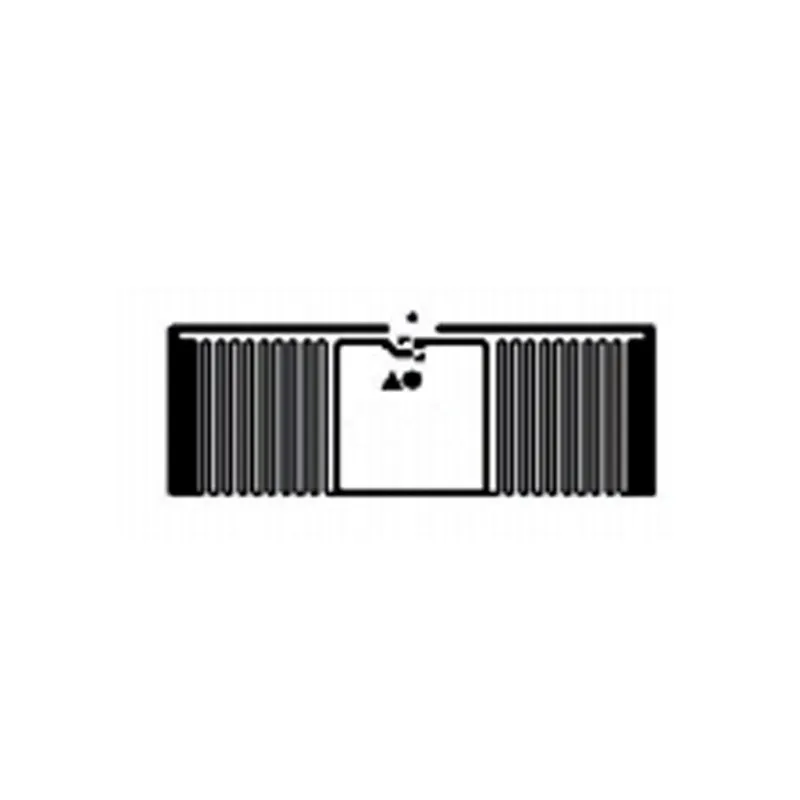
UHF RFID Jewellery Label 9620 H9 (Alien Higgs-9)
Brand IdentiumAvailability In Stock

UHF RFID Jewellery Label 9620 H9 (Alien Higgs-9)

A UHF RFID jewellery label on the Alien Higgs-9 chip for tagging pieces as they enter stock, with each EPC linked to the item’s SKU, weight and hallmark record so later audits and transfers are quick.

Brand:
Identium
Chip:
Alien Higgs-9 (H9)
Frequency:
860–960 MHz (covers India 865–868 MHz)
Protocol:
EPC Gen2 / ISO 18000-6C
Read range:
Up to 6 m (depends on antenna and environment)
Datasheet:
PDF · 83 KB
Listing updated:

₹7

per piece + 18% GST

Min. order 500 piecesThe final price for your quantity is confirmed in the quote

  • 7-day replacement · 1-year warranty against manufacturing defects
  • Blue Dart next-day delivery
  • Samples ₹250 (1–2 pcs, incl. shipping) · request a sample of this label

Sold by India RFID Store, the online catalogue of Identium Tech Solutions Pvt Ltd, an RFID manufacturer in New Delhi, India, in business since 2010.

Key features

  • Alien Higgs-9 (H9) chip, EPC Gen2 / ISO 18000-6C
  • Compact label for jewellery tag stock and string tickets
  • Link each EPC to SKU, weight and HUID in your software
  • Read range up to 6 m in open conditions
  • 860–960 MHz; works on India’s 865–868 MHz band

Overview

Tagging new jewellery stock with the 9620 H9 label

The 9620 H9 is a compact UHF RFID label on the Alien Higgs-9 chip, made to go into the tag stock or string ticket of each jewellery piece. Its job starts at the tagging desk: when a piece arrives from the karigar or the hallmarking centre, the label gets an EPC number that your software links to the SKU, gross and net weight and HUID. From then on, a reader identifies the piece without anyone retyping those details.

A simple tagging routine

  1. Encode. Write the EPC on a desktop UHF reader or RFID printer and save it against the item record.
  2. Print and fit. Print price and weight on the ticket face, fold the label flat inside and tie it on.
  3. Check movements. Read packets before and after branch transfers, consignments or exhibitions and compare the lists.

Reading tips

Do not wrap the label around a ring shank or press it against heavy gold, because metal detunes UHF antennas. The label can read up to 6 m in open conditions, so in a showroom count with a handheld held over the tray, or a shielded tray reader, to keep the next counter out. See the full RFID jewellery tag range and our note on hallmarking and RFID stock audits.

Where to use the UHF RFID Jewellery Label 9620 H9 (Alien Higgs-9)

  • New stock tagging
  • Multi-branch transfers
  • Hallmark record audits
  • Consignment stock
  • Exhibition inventory

Specifications

Datasheet (PDF)
ModelID-UHF9620LABELFORJEWELRY
ChipAlien Higgs-9 (H9)
Frequency860–960 MHz (covers India 865–868 MHz)
ProtocolEPC Gen2 / ISO 18000-6C
Read rangeUp to 6 m (depends on antenna and environment)
Form factorCompact UHF jewellery label
MaterialThin, flexible substrate; RoHS-compliant materials (maker's declaration)
Compatible withStandard UHF RFID readers and printers

Frequently asked questions

Which chip does the 9620 H9 label use?
The Alien Higgs-9 (H9), an EPC Gen2 / ISO 18000-6C UHF chip. Any standard UHF RFID reader or printer working in India’s 865–868 MHz band can read and encode it.
Can the EPC be linked to the HUID hallmark number?
The label carries its own EPC number; your jewellery software stores the link between that EPC and the piece’s HUID, SKU and weight. Check that your software accepts input from a UHF reader before ordering.
Does it read on gold and silver jewellery?
Fit it inside the ticket so the label stands clear of the metal. Pressed flat on gold or silver, any UHF label loses range.
What read range should I expect at the counter?
Up to 6 m in open conditions, but jewellery counters work at much shorter range with a handheld or tray antenna. That helps, since it keeps neighbouring trays out of the count.

Your quote list

Saved on this device. No payment is taken online.

Your list is empty. Use “Add to quote” on any product, then send one request for everything.