RFID Access Control System — How to Set Up Door Access (India 2026)
Published 18 Jul 2026Updated 8 Oct 20269 min read
An RFID access control system lets you control who opens which door and when, and keeps an audit trail of every entry, without metal keys that get copied, lost or handed around.
For Indian offices, factories, warehouses, hostels, gyms, co-working spaces and gated apartments, RFID is now the default access technology, because a lost card is deactivated in seconds instead of triggering an expensive lock re-keying. This guide explains how RFID door access works, which frequency to choose, what hardware you need, how it wires together and what it costs to deploy in India in 2026.
How an RFID door access system works
Every RFID access point follows the same signal chain. Understanding it makes specifying and troubleshooting far easier.
- Credential (card, fob or tag): a passive chip with a unique ID. It has no battery and draws power from the reader's radio field.
- Reader: mounted beside the door, it energises the card, reads its ID and sends that ID to the controller. Readers typically output on Wiegand (26-bit or 34-bit), RS-485 or, in older units, magstripe emulation.
- Controller (access control panel): the brain. It holds the database of allowed cards, checks the ID against permissions and time schedules, and decides to grant or deny. On a grant, it triggers the lock relay and logs the event.
- Electric lock: an electromagnetic lock or electric strike or bolt that physically holds or releases the door.
- Power supply and exit devices: a 12 V DC supply (usually with battery backup), an exit push button or motion sensor (REX) for free egress, and often a door-position sensor.
The cycle is: card presented, reader reads the ID, controller validates it, relay energises, lock releases, event logged. On a standalone reader-controller all of this happens in one device on the wall; on a networked system the controller sits in a secure cabinet and drives several doors.
Standalone vs networked architecture
A standalone unit combines reader, controller and relay in one keypad-style device. It suits one or two doors where you want card access with no PC.
A networked system uses separate readers wired back to a central controller and management software. That gives you real-time monitoring, remote card enrolment, and consolidated attendance and audit reports across many doors and buildings.
HF/MIFARE vs UHF for access control
This is the single most important decision, and it is where many Indian buyers get mis-sold. The two practical frequency families are HF (13.56 MHz), which includes MIFARE, and UHF (860–960 MHz worldwide; in India, the licence-exempt 865–868 MHz band).
For touch-and-tap door access, where someone walks up and presents a card, HF MIFARE is the correct, industry-standard choice. It reads at 0–5 cm, which is exactly what you want at a door: only the card being deliberately tapped is read, not the card in the pocket of the person behind. MIFARE also supports encrypted sectors, so credentials can be secured against cloning.
UHF is for long-range, hands-free access: vehicle boom barriers, parking gates and factory gates, where a windshield tag or card is read from 1–10 metres as the vehicle approaches. Using UHF on a pedestrian office door is a mistake, because the long range means several cards get read at once and doors trigger unintentionally.
| Parameter | HF / MIFARE (13.56 MHz) | UHF (865–868 MHz, India band) |
|---|---|---|
| Typical read range | 0–5 cm (tap) | 1–10 m (hands-free) |
| Best for | Doors, turnstiles, attendance | Vehicles, boom barriers, parking |
| Security / encryption | High (MIFARE Classic Crypto1, DESFire AES) | Basic (EPC Gen2, optional password) |
| Indicative card cost | Low (₹18–₹60 per card) | Card ₹30–₹90; windshield tag ₹40–₹150 |
| Indicative reader cost | Moderate (₹1,200–₹6,000) | Higher (₹6,000–₹25,000+) |
| Multi-read risk at a door | None: one tap, one card | High: reads several cards at once |
| Interference from metal or liquid | Low | Higher; needs tuning |
| Regulatory band in India | 13.56 MHz (globally harmonised) | 865–868 MHz (licence-exempt) |
Rule of thumb: people tap, so use HF/MIFARE at pedestrian doors; vehicles roll, so use UHF at gates. Many campuses run both, with HF for building doors and UHF for the vehicle barrier, and issue staff a dual-frequency card.
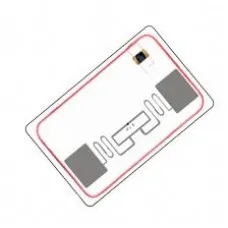
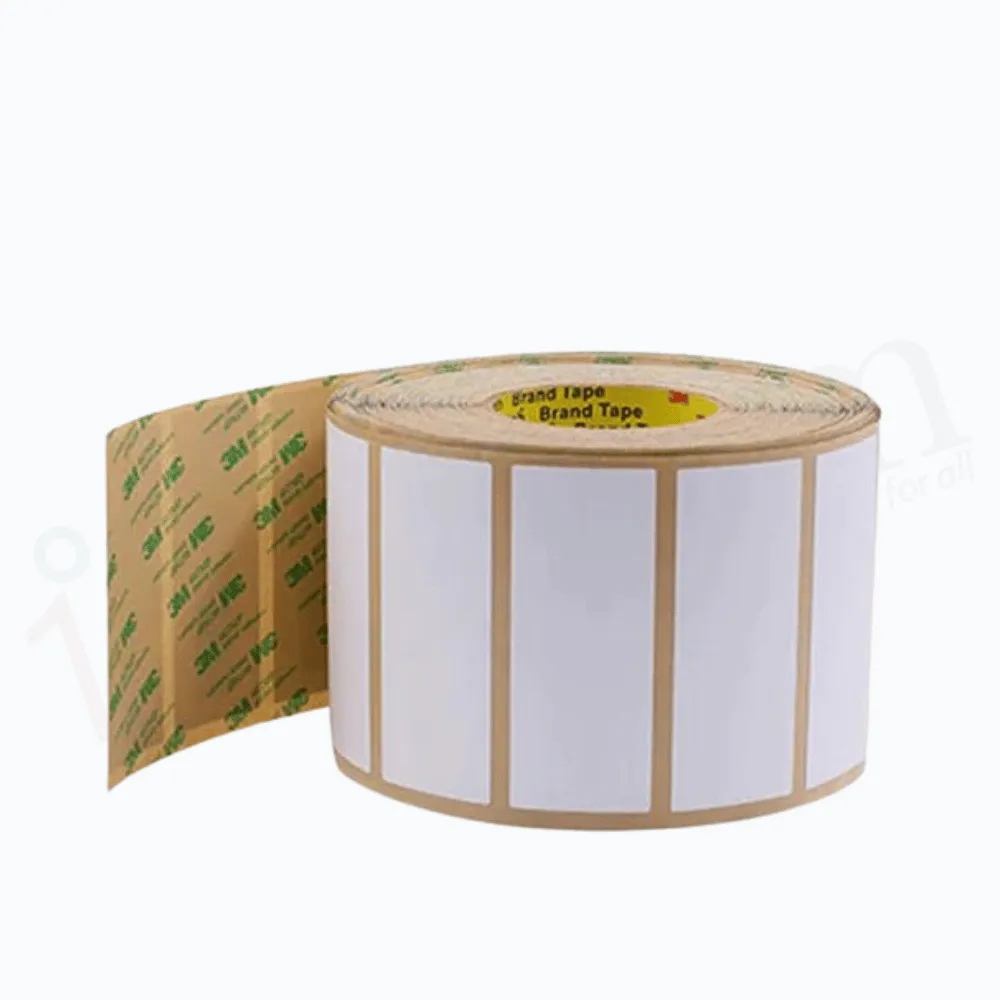
For door credentials, start with HF cards. Campuses that run both systems can use an HF-UHF dual-frequency card, and vehicle gates take a UHF tamper-proof windshield label.
Choosing the reader
The reader is what users interact with every day, so build quality matters. For Indian conditions, specify:
- Frequency: 13.56 MHz MIFARE for doors. Confirm it reads your card type: MIFARE Classic 1K is the most common, and DESFire EV1/EV3 is used for higher security.
- Output interface: Wiegand 26-bit is the safe default because it talks to nearly every controller. RS-485 is better for long cable runs and encrypted communication.
- Ingress protection: IP65/IP66 for any outdoor or gate-side reader exposed to monsoon rain and dust.
- Keypad option: a card-plus-PIN reader gives two-factor access for server rooms and cash areas.
- Operating temperature: Indian summers reach 45–50°C at exposed doors, so specify readers rated to at least 60°C.
If the door reader and controller come from different vendors, confirm they use the same Wiegand format (26-bit or 34-bit) before you order. At the admin desk, a USB desktop reader from our HF RFID readers range is handy for reading card numbers during enrolment; our guide to scanning card numbers into a spreadsheet shows how keyboard-mode readers work.
Cards, fobs and other credentials
Credentials come in several form factors, and you can mix them on one system:
- ISO PVC cards: the standard 85.6 × 54 mm card, printable with a photo ID so it doubles as an employee badge.
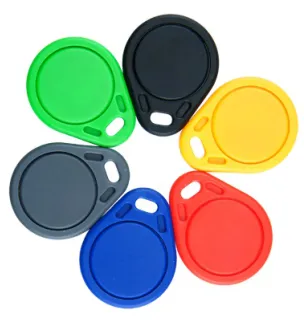
- Key fobs: rugged and keychain-friendly, popular for hostels, gyms and society residents. Our RFID key fobs come in LF 125 kHz, HF MIFARE Classic 1K and UHF versions, so match the fob to your reader.
- Wristbands and stickers: for gyms, events and asset tagging.
For most access deployments, MIFARE Classic 1K cards are the workhorse; step up to DESFire where cloning is a genuine threat, such as banks, data centres and defence sites. See the full RFID cards range.
A key advantage over metal keys: if a card is lost, you delete it from the controller in seconds and issue a new one, and no lock is ever compromised. If you plan to print photo IDs, match the card to your door reader first; our guide to RFID card printing for eSSL and ZKTeco readers explains how.
Controllers, Wiegand and wiring
What the controller does
The controller stores the permission database and makes the grant or deny decision. Entry-level single-door controllers handle a few thousand cards; multi-door panels manage 2, 4 or more doors with tens of thousands of users and time-zone scheduling (for example, contractors allowed only from 9 AM to 6 PM). Networked controllers connect over TCP/IP to management software for live monitoring and reports.
Wiegand explained
Wiegand is the decades-old wiring protocol between reader and controller. A 26-bit Wiegand reader sends the card number over two data lines (DATA0 and DATA1) plus power and ground. It is simple and universally supported, which is why it remains the default.
Its limitations, roughly 100 m maximum cable length and no encryption on the line, are why security-sensitive sites now prefer RS-485 with OSDP, which supports longer runs, encrypted communication and reader supervision. If you are specifying new, ask whether the reader supports OSDP; if you are integrating with an existing panel, Wiegand 26-bit keeps things compatible.
Wiring overview
A typical single door needs:
- Reader cable: shielded multi-core (commonly 6-core, 0.22 mm²) from reader to controller for power and Wiegand data.
- Lock cable: 2-core from the controller relay to the electric lock, rated for the lock's current draw.
- Power: a regulated 12 V DC supply (a 5 A supply comfortably runs one maglock plus reader) with a backup battery so the door still works during a power cut.
- Exit button (REX): 2-core to a push-to-exit button inside, so people can leave freely.
- Door sensor (optional): a magnetic contact for door-held-open and forced-open alarms.
Keep data cabling away from mains and high-current lines to avoid electrical noise, and ground the cable shield at one end only.
Electric locks: matching the lock to the door
The lock is chosen to suit the door, not the other way round:
- Electromagnetic lock (maglock): 280 kg or 600 kg holding force. It is fail-safe, releasing on power loss, which is required on fire-escape routes. Best for glass and wooden doors.
- Electric strike: replaces the strike plate and works with existing mechanical locks. Available fail-safe or fail-secure.
- Electric drop bolt: good for frameless glass and sliding doors.
- Electric rim and mortise locks: for high-traffic doors that need a mechanical latch plus electric release.
Fire-safety note: on designated escape routes, use fail-safe locks and integrate a break-glass emergency release so the door unlocks if power is cut. This is essential for occupant safety and compliance.
Not every lock needs a controller. For lockers, cabinets and drawers, standalone RFID cabinet and locker locks read the card, fob or wristband at the lock itself; our RFID locker lock price guide covers gym, cabinet and drawer locks.
Single-door vs multi-door systems
| Factor | Single-door (standalone) | Multi-door (networked) |
|---|---|---|
| Doors covered | 1 (sometimes 2) | 2, 4, 8 or more per panel, scalable to a campus |
| Management | On-device card enrolment | PC or cloud software, remote admin |
| Audit trail | Basic or none | Full logs, attendance reports |
| Time schedules | Limited | Per user, per door, per time zone |
| Anti-passback / interlock | No | Yes |
| Best for | Shop, clinic, small office, single gate | Corporate office, factory, hostel, apartment complex |
| Typical cost per door | Lower upfront | Higher, but lower per door at scale |
Choose standalone if you have one or two doors and no need for central reporting. Choose networked as soon as you need attendance integration, more than a handful of doors, or the ability to add and revoke access from a central desk.
What an RFID access control system costs in India (2026)
These are indicative market bands to help you budget, not list prices. Actual quotes vary with brand, holding force, approvals and volume, and items sold on this store show their current price before GST on the product page.
- HF MIFARE reader (Wiegand): ₹1,200–₹6,000
- Single-door standalone controller (reader + relay): ₹2,000–₹7,000
- Networked controller (2–4 door panel): ₹8,000–₹30,000
- Electromagnetic lock (280–600 kg): ₹1,500–₹5,000
- 12 V power supply with backup battery: ₹1,500–₹4,000
- Exit button, sensors and cabling: ₹1,000–₹3,000 per door
- MIFARE cards or fobs: ₹18–₹60 each
A basic single glass door (reader, standalone controller, 600 kg maglock, power supply, exit button and 10 cards) typically lands around ₹8,000–₹18,000 all-in. A 4-door networked office with software usually runs ₹60,000–₹1,50,000 or more, depending on lock choice and reporting needs.
A practical setup checklist
- Count your doors. Decide between standalone and networked.
- Pick the frequency. HF/MIFARE for pedestrian doors, UHF only for vehicle gates.
- Match each lock to its door. Check the door type and fail mode, with fail-safe locks on escape routes.
- Choose the interface. Wiegand 26-bit for compatibility, or RS-485/OSDP for security.
- Size the power. A 12 V supply with battery backup keeps doors working through power cuts.
- Wire the door. Fit REX exit buttons and door sensors, and keep data cables away from mains.
- Commission and test. Enrol cards, set time schedules, and test grant, deny and the emergency release.
Related guides
Frequently asked questions
Which is better for door access, HF/MIFARE or UHF?
What is Wiegand and do I still need it?
Will the door still open during a power cut?
How much does a single-door RFID access system cost in India?
Can one RFID card work for both doors and vehicle gates?
Is RFID access control secure against card cloning?
How many cards and doors can one controller handle?
RFID Access ControlDoor AccessMIFAREWiegandElectric LocksIndia RFIDHF RFIDAccess Control Guide