NFC LED Cable Label ID-7556-FM13HS01 (75 × 56 mm)
A 13.56 MHz NFC cable label with an LED and the FM13HS01N chip, for marking individual cables and wires in panels, racks and trays so a technician can identify the right one with a reader instead of a faded marker.
₹14
per piece + 18% GST
Minimum order: 500 pieces · the final price for your quantity is confirmed in the quote
View datasheet PDF · 174 KB- 7-day replacement · 1-year warranty against manufacturing defects
- Blue Dart next-day delivery
- Samples ₹250 (1–2 pcs, incl. shipping) · request
Key features
- LED on the label helps pick out the right cable in a bundle
- FM13HS01N chip, NFC Forum Type 5 / ISO/IEC 15693
- 1024 bits of memory
- 25 × 15 mm antenna on a 75 × 56 mm die-cut label
- Read range listed up to 0.2 m with an ISO 15693 HF reader
- Frequency
- 13.56 MHz (HF / NFC)
- Chip
- FM13HS01N
- Protocol
- NFC Forum Type 5 / ISO/IEC 15693
- Read range
- Up to 0.2 m (reader-dependent)
Overview
NFC LED label for cable and wire identification
Printed cable markers fade, and in a crowded panel or rack it is hard to be sure which conductor a marker belongs to. The ID-7556-FM13HS01 gives each cable its own chip identity on the FM13HS01N NFC chip and adds an LED, so a technician can read the label and see where it is at the same time.
How LED RFID labels help on site
LED RFID labels take power from the reader's field, the same energy that runs the chip, and use it to light a small LED. Someone scanning a bundle can see which cable responded instead of tapping every label in turn. LED behaviour depends on the reader and the command used, so trial it with your own reader first.
Fitting and reading
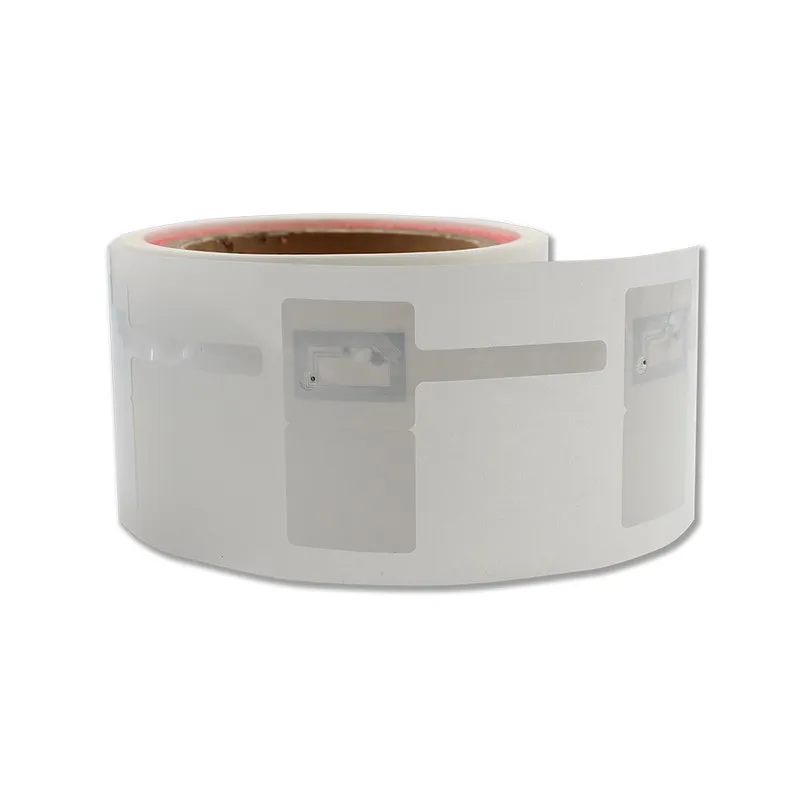
- The 75 × 56 mm die-cut is much larger than the 25 × 15 mm antenna area, leaving label space outside the antenna for fixing it to the cable.
- The chip is ISO/IEC 15693 (NFC Type 5). It is read by HF RFID readers that support ISO 15693 and, at close range, by NFC smartphones.
- Keep the antenna area off bare metal trays and enclosures, as metal behind an HF antenna cuts read range.
To read many cables at once from further away, compare the UHF ID-4111-KX LED cable label. More NFC formats are in NFC Tags & Labels.
Typical applications
- Data centre cabling
- Electrical panels
- Telecom racks
- Cable trays
- Utility networks
- Control cabinets
Specifications
Datasheet (PDF)| Model | ID-7556-FM13HS01 |
|---|---|
| Frequency | 13.56 MHz (HF / NFC) |
| Chip | FM13HS01N |
| Memory | 1024 bits |
| Protocol | NFC Forum Type 5 / ISO/IEC 15693 |
| Antenna size | 25 × 15 mm |
| Label size (die-cut) | 75 × 56 mm |
| Read range | Up to 0.2 m (reader-dependent) |
| Indicator | LED |
_cFsDD.webp)